 TM
TM TM
TM
I've been working on building data pipelines in the retail domain for a while now, and I've noticed something interesting. Let me paint you a picture.
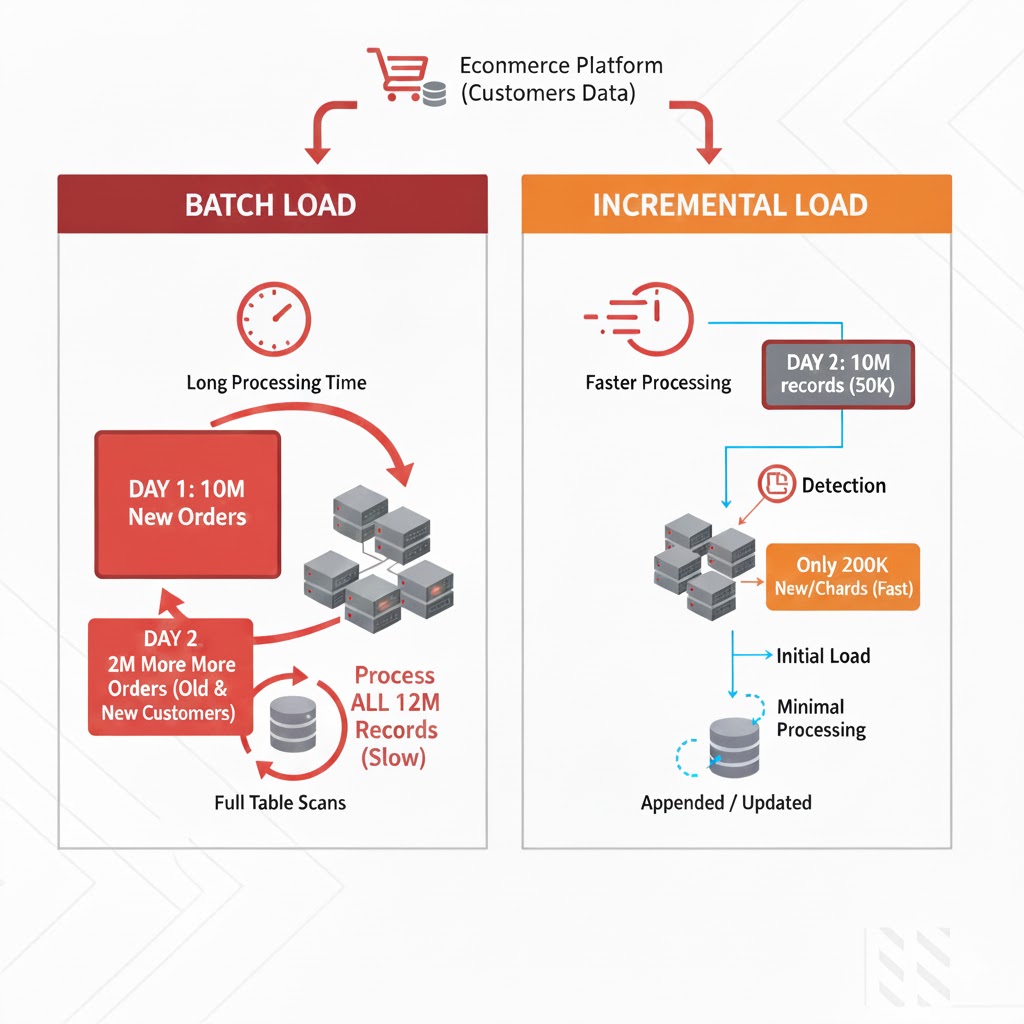
Imagine you're ingesting customer data from a major e-commerce platform. On Day 1, you receive a batch of 10 million customer records. You process it, load it into your data lake, and everything looks great.
Day 2 arrives. Another batch lands. 10 million records again.
But here's the catch - are these really 10 million NEW customers? Absolutely not.
Even the biggest e-commerce platforms don't acquire millions of new customers every single day. What's actually happening? The same existing customers are placing more orders, updating their profiles, changing addresses, or modifying payment methods. Out of those 10 million records, maybe only 50,000 are genuinely new or updated.
With traditional batch processing, the entire dataset often ends up being read and processed every single day. This leads to rising compute costs, increasing processing time, and a lot of unnecessary work, reprocessing millions of records that haven’t changed at all.
This is when I realized: I don't need to process the entire dataset. I just need to process what changed.
After researching different approaches, I found that there are several ways to process only incremental data in Databricks:
1. Watermarking – Track a timestamp or ID column and filter records greater than the last processed value.
2. Left Anti Join – Compare the current dataset with the previously processed snapshot to identify newly arrived records.
3. Change Data Feed (CDF) – A Delta Lake feature that captures inserts, updates, and deletes directly from Delta tables. It allows you to read only the changed rows without implementing custom comparison logic.
In this blog, we’ll explore the third approach, Change Data Feed (CDF), and understand how it helps simplify incremental processing in Databricks.
Change Data Feed (CDF) is a Delta Lake feature that maintains a change log of all modifications made to a table. Once enabled, CDF records:
What data changed
When it changed (timestamp)
What type of change occurred (insert, update, delete)
Which version of the table does the change belong to
The beauty? You can query this change log using standard SQL to retrieve only the data that changed between two points in time - no full table scans needed.
I decided to test CDF with a simple scenario: ingesting customer data in batches and processing only the new records. Here's exactly what I did.
First, I checked what customer data files were available in my cloud storage:
display(dbutils.fs.ls("abfss://test@adlsstoragedata01.dfs.core.windows.net/customersdata/"))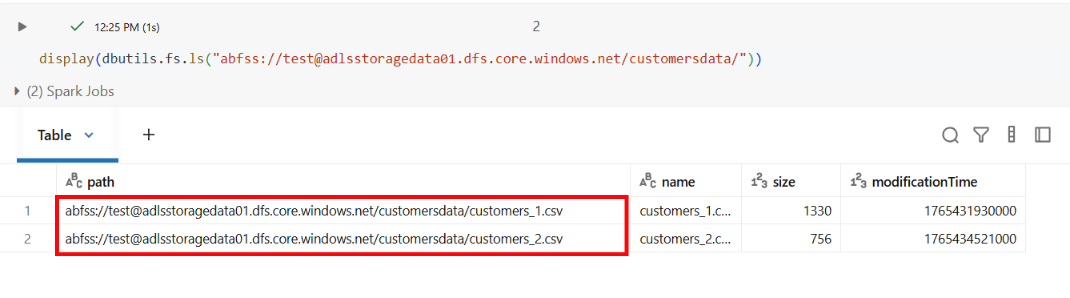 I had two files:
 customers_1.csv and customers_2.csv.
I loaded the first customer file to see what we're working with:
customers_df_1 = spark.read.format("csv").option("header", "true").load("abfss://test@adlsstoragedata01.dfs.core.windows.net/customersdata/customers_1.csv")
display(customers_df_1)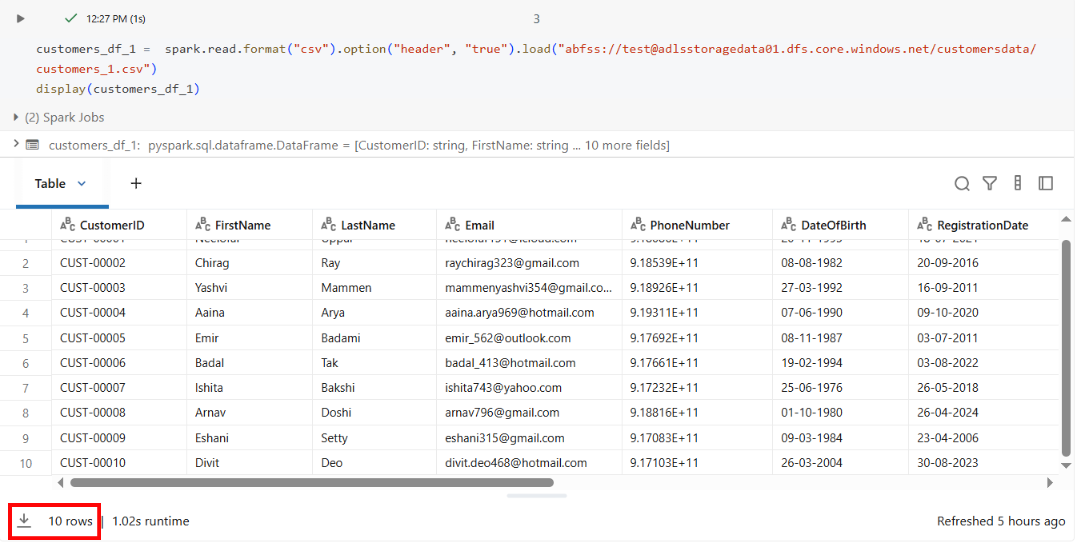
This file contained 10 customer records.
I wrote this data to a Delta table:
customers_df_1.write.mode("append").saveAsTable("gbmart.bronze.customers")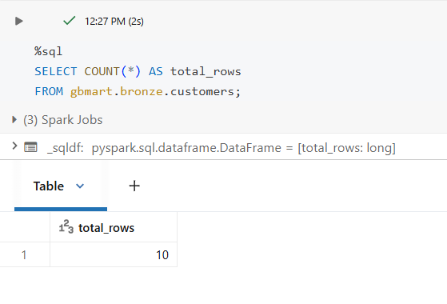 Result: 10 rows loaded.
ALTER TABLE gbmart.bronze.customers
SET TBLPROPERTIES
(delta.enableChangeDataFeed = true);
We enable CDF because it allows us to capture only the rows that have changed (inserts, updates, deletes) instead of scanning the entire dataset again.
From this point forward, every change to this table will be tracked automatically. As we proceed, you’ll get a clear understanding of what CDF is, how it works, and why it simplifies incremental processing.
I checked the table history:
DESCRIBE HISTORY gbmart.bronze.customers;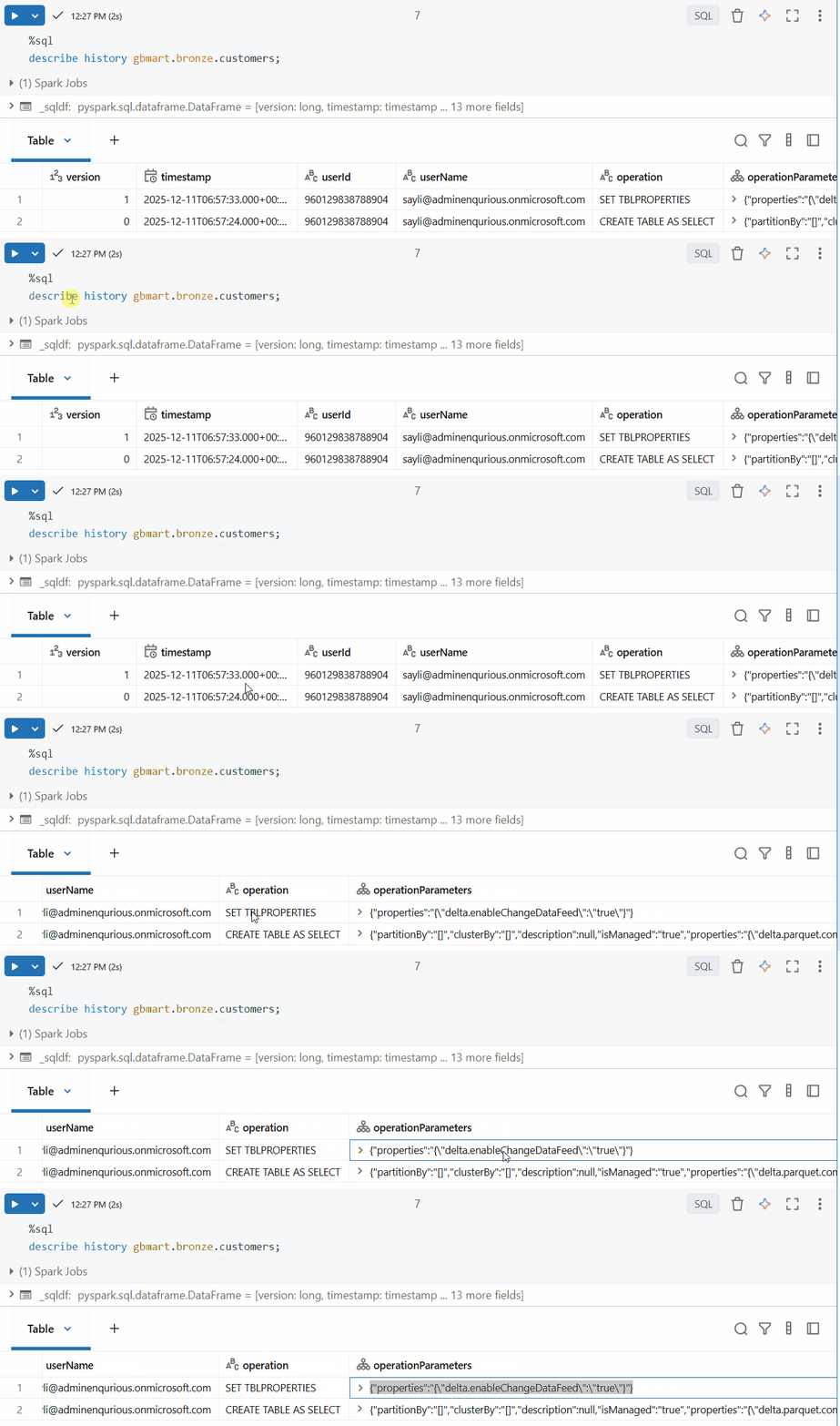
The table now had CDF enabled (you can see this in the operation details).
Now, a new batch of customer data arrived. I loaded the second file:
customers_df_2 = spark.read.format("csv").option("header", "true").load("abfss://test@adlsstoragedata01.dfs.core.windows.net/customersdata/customers_2.csv")

display(customers_df_2)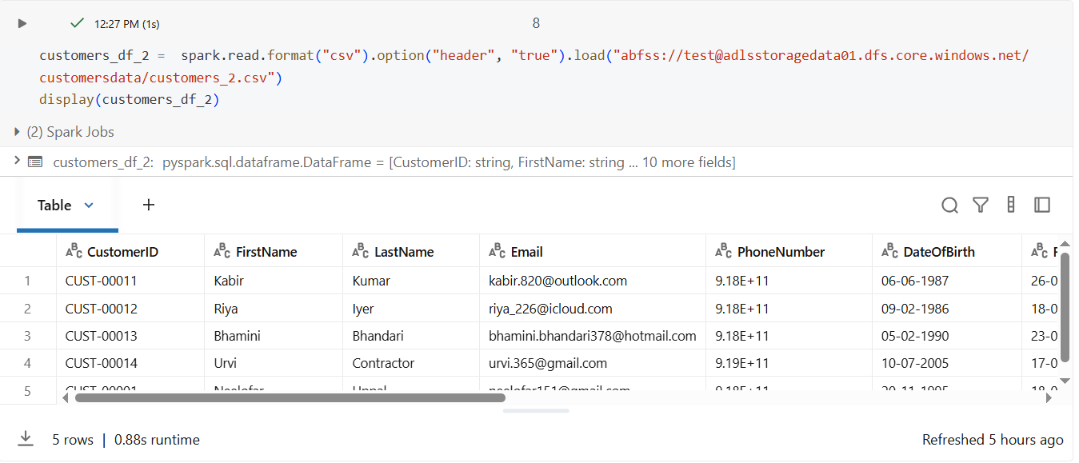
This file contained 5 new customer records.
I appended it to the same table:
customers_df_2.write.mode("append").saveAsTable("gbmart.bronze.customers")Verified the new count:
SELECT COUNT(*) AS total_rows FROM gbmart.bronze.customers;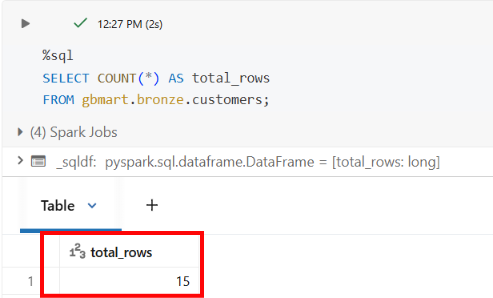
Result: 15 rows total (10 + 5).
Now here's the scenario: your downstream pipeline has already processed the first 10 rows, and you don’t want to reprocess them; you only want to process the 5 new rows that just arrived.
The same logic applies at scale: if 10 million rows have already been processed and a new batch of 200,000 rows arrives, you should process only those 200,000 new rows instead of reprocessing the entire dataset.
I checked the table history again:
DESCRIBE HISTORY gbmart.bronze.customers;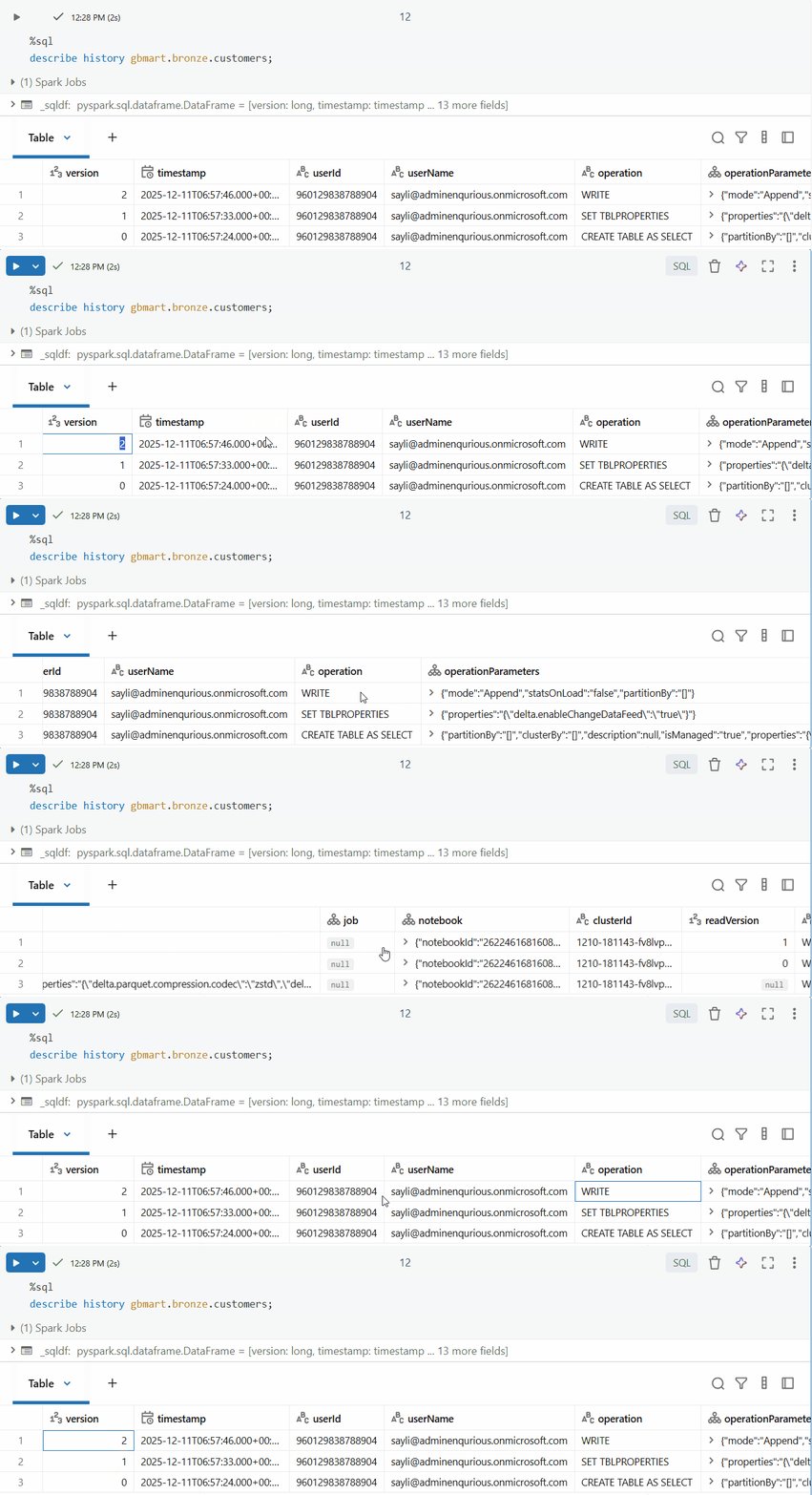
I could see multiple versions (0, 1, 2). Version 2 contained the latest changes.
Version 0: Initial table creation when the first 10 rows from customers_1.csv were loaded
Version 1: When CDF was enabled using the ALTER TABLE SET TBLPROPERTIES command (no data change, just a metadata operation)
Version 2: When the second batch of 5 rows from customers_2.csv was appended - this is where our new data lives!
The key query - using CDF to get only the changes since a specific timestamp:
SELECT * FROM table_changes("gbmart.bronze.customers", "2025-12-11T06:57:46.000+00:00")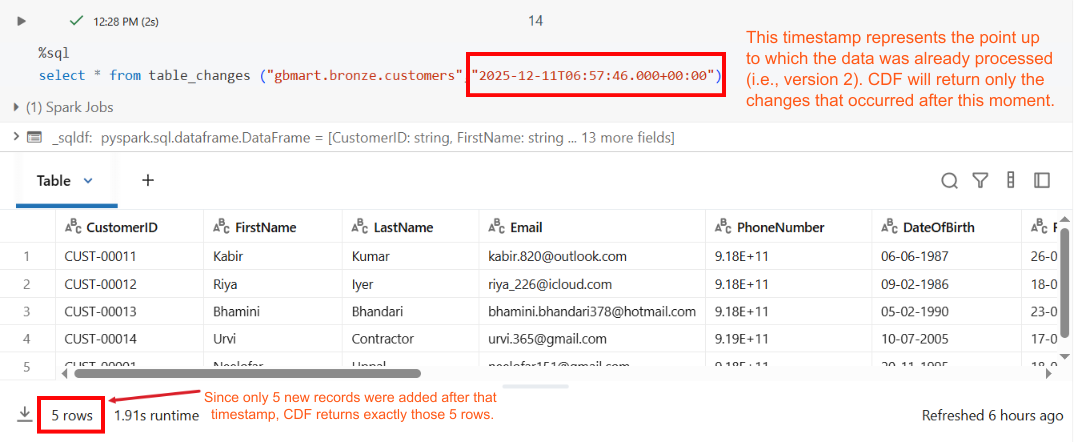
Result: Only 5 rows returned - exactly the new records that were added!
The table_changes function allows you to query only the rows that have changed in a Delta table between specific versions or timestamps. It returns the incremental changes rather than the full dataset.
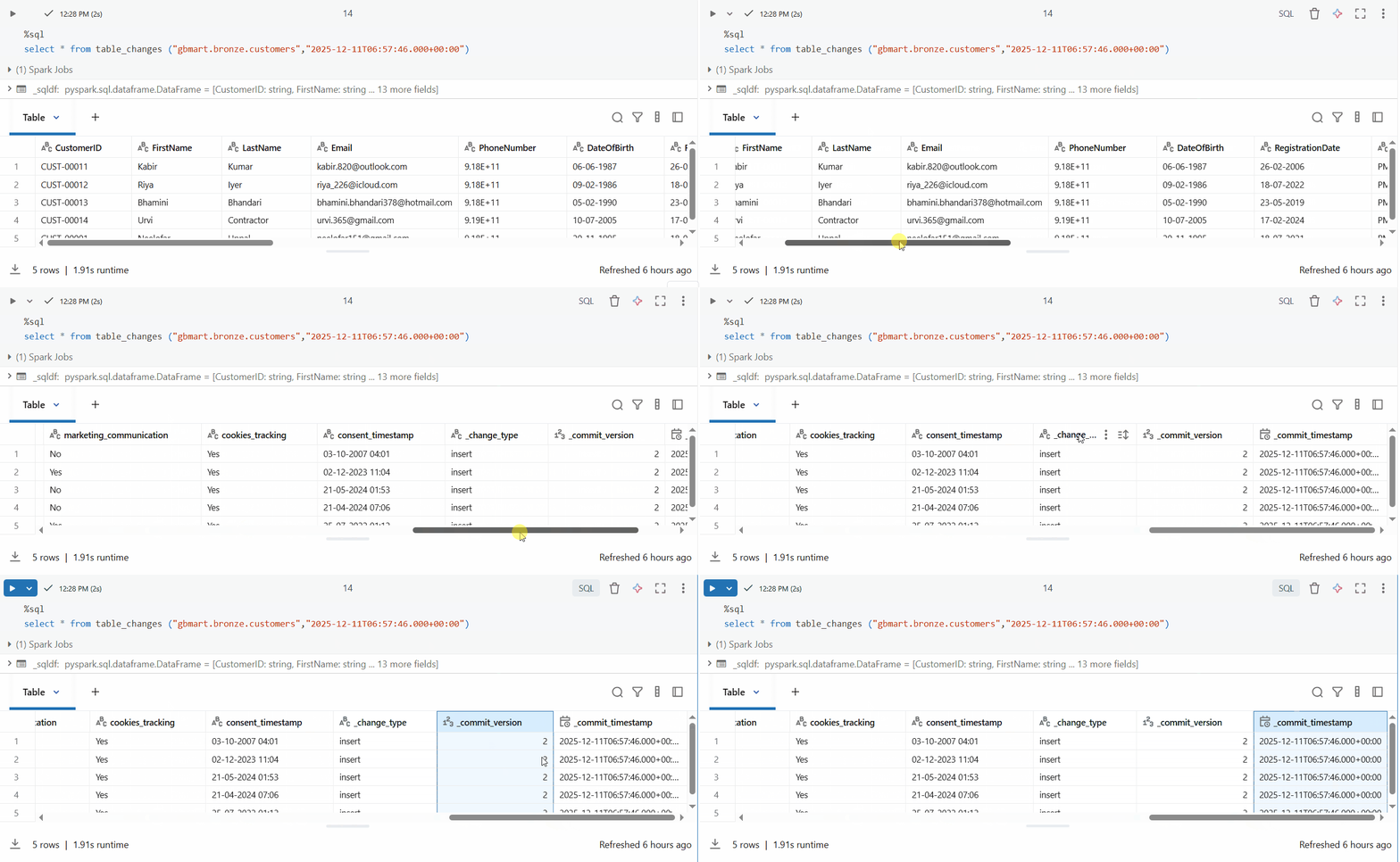
The result includes special CDF columns:
`_change_type`: Type of change (insert, update_preimage, update_postimage, delete)
`_commit_version`: Delta table version when the change occurred
`_commit_timestamp`: Exact timestamp of the change
For my downstream processing, I loaded this into a Dataframe:
customers_raw_df = spark.sql("""
SELECT * FROM table_changes("gbmart.bronze.customers", "2025-12-11T06:57:46.000+00:00")
""")
And if I wanted just the customer data without CDF metadata:
customers_raw_df.drop("_change_type", "_commit_version", "_commit_timestamp").display()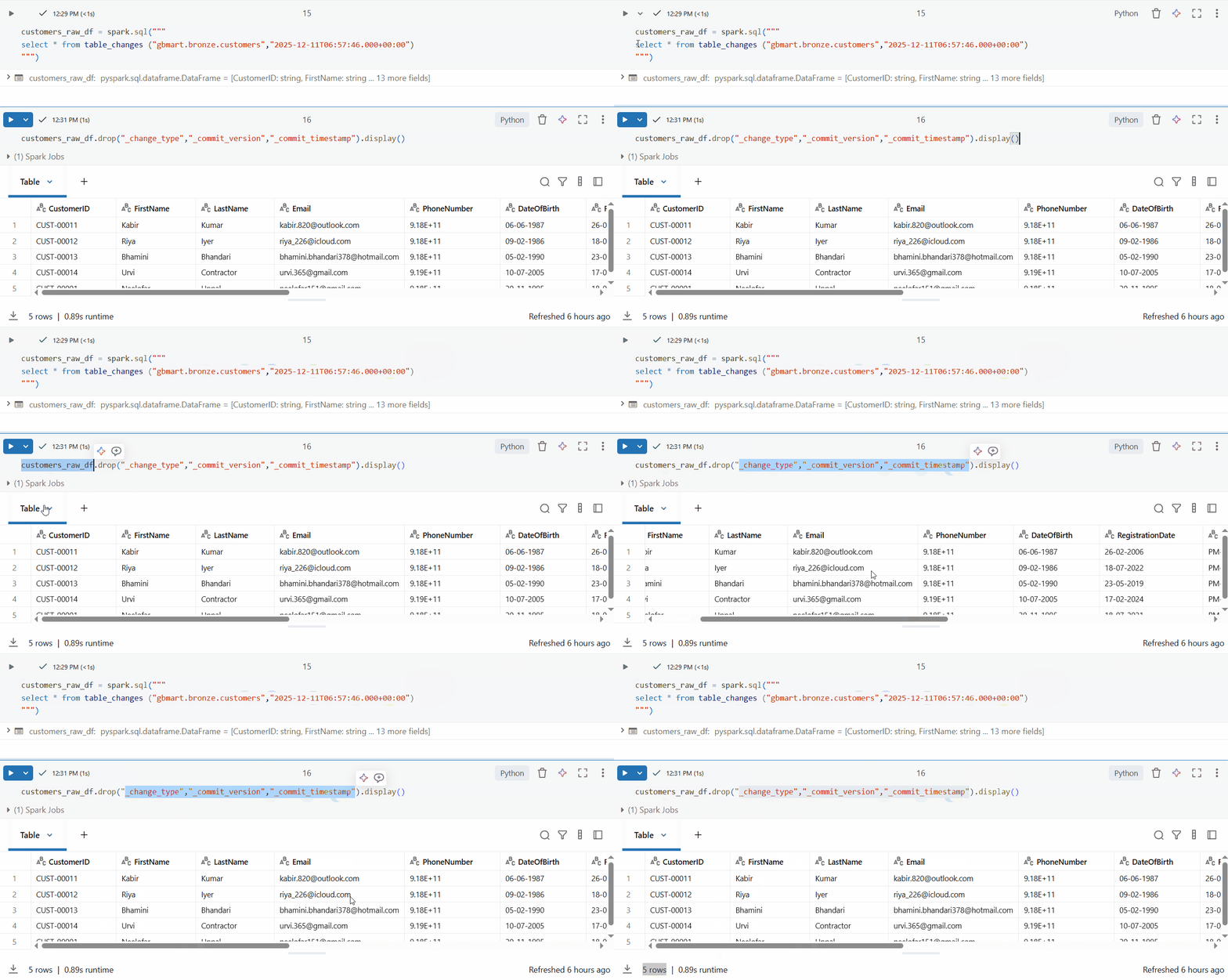
Perfect! I successfully retrieved only the 5 new rows out of 15 total rows.
Now, with Change Data Feed (CDF) enabled in Delta, we can focus on processing only the new or changed records. I tried one approach in execution and the results were impressive.
Think about the savings: Instead of processing 10 million records daily, I'm now processing only 50,000 changed records. That's:
99.5% reduction in data scanned
Massive compute cost savings
Faster pipeline execution
Lower cloud storage I/O costs
In a real-world scenario with billions of rows, CDF transforms batch processing pipelines into efficient, incremental processing systems without requiring complex custom logic or application changes.
Change Data Feed is a game-changer for incremental data processing in Databricks. With a single line of code to enable it and a simple SQL query to consume changes, you can dramatically reduce processing overhead and costs.
If you're building data pipelines that process the same tables repeatedly, CDF should be one of the first features you enable.

Navigate Databricks Marketplace like a pro. Learn the 5 key criteria for choosing AI models that match your agents, LLMs, and text generation needs—without the trial-and-error.
Spark optimization isn't always complex; some tweaks have a huge impact. Inferring schemas forces Spark to scan your data twice, slowing ingestion and inflating cost. Explicit schemas avoid the extra pass and make pipelines faster and cheaper.

Cricket is no longer just a game of "gut feelings." This blog uncovers how hidden metrics like Expected Wickets and "Ghost" simulations are winning matches before the first ball. Dive into the high-stakes world where data science meets the 22 yards to redefine the sport.
I tested a simple hypothesis about image similarity - and watched it fail spectacularly when my algorithm said a "3" looks more like an "8" than another "3". The investigation revealed why pixel-by-pixel comparison is too brittle and what humans do effortlessly that machines must learn explicitly.
Passed the Databricks Gen AI Associate Certification with 56 questions in 90 minutes! Here's my honest experience, preparation strategy, time management tricks, and the exact resources that helped me succeed. Real insights for aspiring certificants.

I dropped a table in Snowflake, then queried to verify it was gone. The system said it doesn't exist, but also showed it consuming 3.57 MB. That contradiction led me down a rabbit hole of metadata delays, missing commands, and hidden costs. Here's what I discovered.
The AI industry has a security problem: data scientists aren't trained in security, ML engineers are working with black-box models, and security pros don't understand GenAI. Learn about the frameworks and tools bridging this gap—from Llama Guard to Databricks' safety features.
Why DELETE isn’t enough under GDPR, and how Time Travel can make sensitive data reappear unless VACUUM is used correctly.
This blog shares my personal journey into Snowflake Gen AI, from early confusion to hands-on clarity. It offers practical study tips, common pitfalls, and guidance to help you prepare effectively and understand Snowflake’s evolving AI capabilities.

Started scrolling Instagram at 2 AM. Saw Cloudflare memes. Fell down a 4-hour research rabbit hole. Discovered that AND database = 'default' could have prevented the whole thing. My sleep schedule is ruined but at least I understand distributed systems now.

Discover the top 10 data pipeline tools every data engineer should know in 2025. From Airflow to Fivetran, learn how each tool powers modern data workflows, supports real-time analytics, and scales across cloud ecosystems.
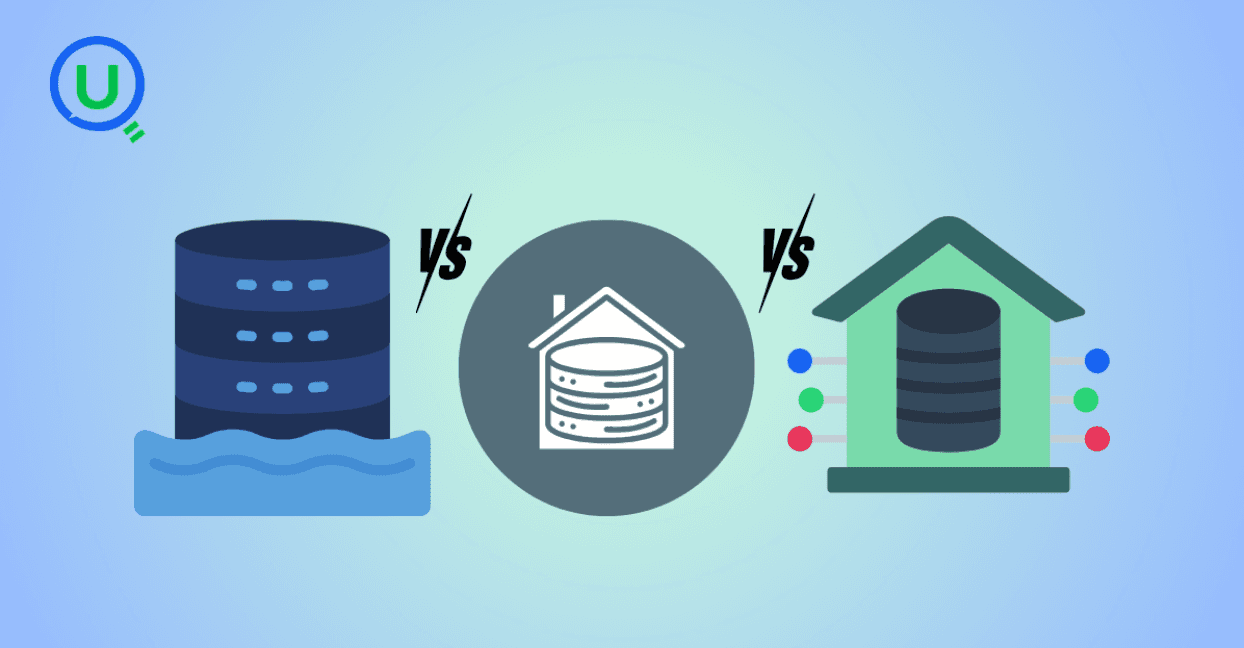
Confused between a data lake, data warehouse, and data mart? Discover key differences, real-world use cases, and when to use each architecture. Learn how to build a modern, layered data strategy for scalability, governance, and business insights.
Explore what syntax means in the world of data and AI—from SQL and Python to JSON and APIs. Learn why syntax matters, common errors, real-world examples, and essential best practices for data engineers, analysts, and AI developers in 2025.
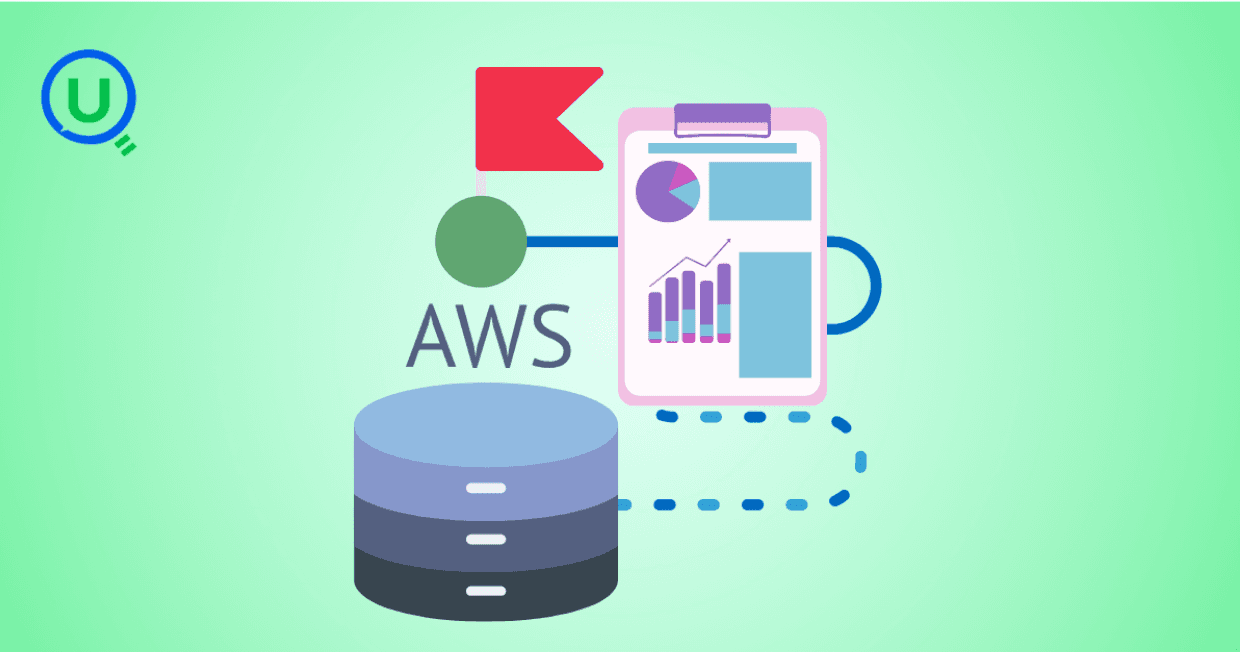
Discover how AWS Data Pipeline helps automate data movement and transformation across AWS services like S3, Redshift, and EMR. Learn its key features, benefits, limitations, and how it compares to modern tools like AWS Glue and MWAA.
Learn how to build scalable and secure data pipeline architectures in 2024 with best practices, modern tools, and intelligent design. Explore key pillars like scalability, security, observability, and metadata tracking to create efficient and future-proof data workflows.
Explore the key differences between ETL and ELT data integration methods in this comprehensive guide. Learn when to choose each approach, their use cases, and how to implement them for efficient data pipelines, real-time analytics, and scalable solutions.
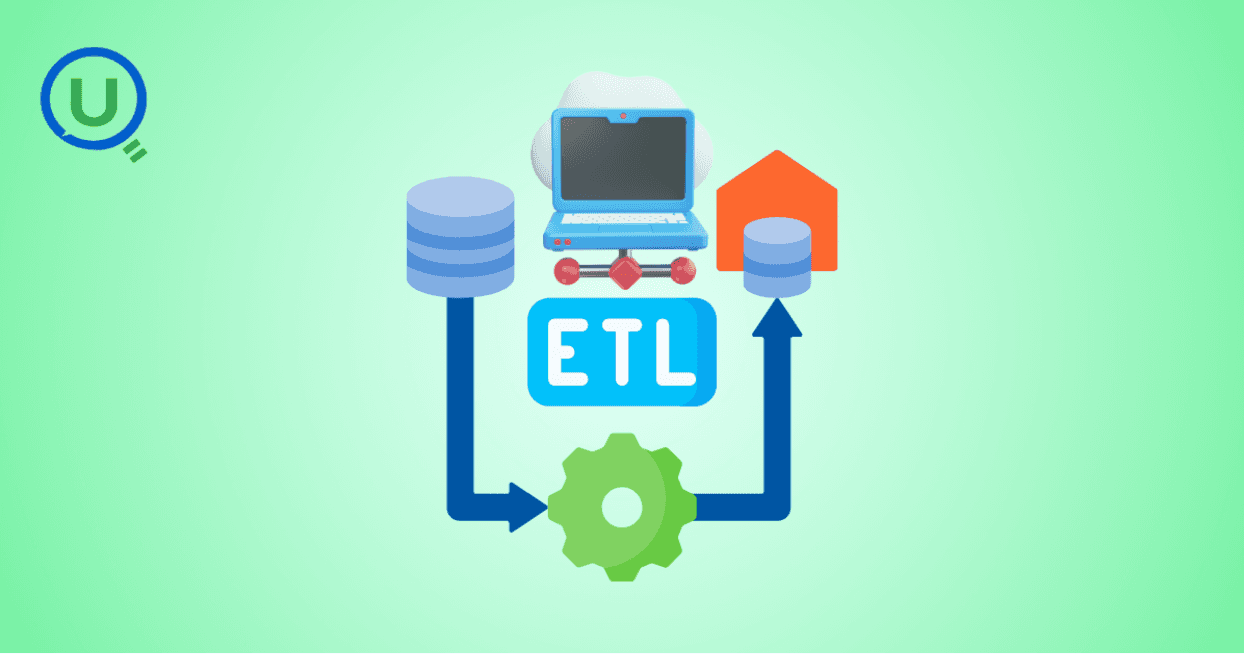
Learn the essential role of ETL (Extract, Transform, Load) in data engineering. Understand the three phases of ETL, its benefits, and how to implement effective ETL pipelines using modern tools and strategies for better decision-making, scalability, and data quality.
Discover why data orchestration and analysis are essential for modern data systems. Learn how automation tools streamline data workflows, boost insights, and scale with your business
Learn what a data ingestion pipeline is, why it's vital for modern analytics, and how to design scalable, real-time pipelines to power your data systems effectively.
Discover the top 15 data warehouse tools for scalable data management in 2024. Learn how to choose the right platform for analytics, performance, and cost-efficiency.
Confused between a data mart and a data warehouse? Learn the key differences, use cases, and how to choose the right data architecture for your business. Explore best practices, real-world examples, and expert insights from Enqurious.
Discover the top 10 predictive analytics tools to know in 2025—from SAS and Google Vertex AI to RapidMiner and H2O.ai. Learn why predictive analytics is essential for modern businesses and how to choose the right tool for your data strategy.
Explore the key differences between descriptive and predictive analytics, and learn how both can drive smarter decision-making. Discover how these analytics complement each other to enhance business strategies and improve outcomes in 2025 and beyond.
Explore the key differences between predictive and prescriptive analytics, and learn how both can drive smarter decisions, enhance agility, and improve business outcomes. Discover real-world applications and why mastering both analytics approaches is essential for success in 2025 and beyond.
Compare PostgreSQL vs SQL Server in this comprehensive guide. Learn the key differences, strengths, and use cases to help you choose the right database for your business needs, from cost to performance and security.
Learn what Power BI is and how it works in this beginner's guide. Discover its key features, components, benefits, and real-world applications, and how it empowers businesses to make data-driven decisions.
Explore what a Business Intelligence Engineer does—from building data pipelines to crafting dashboards. Learn key responsibilities, tools, and why this role is vital in a data-driven organization.
Discover why data lineage is essential in today’s complex data ecosystems. Learn how it boosts trust, compliance, and decision-making — and how Enqurious helps you trace, govern, and optimize your data journeys.
Learn what a data mart is, its types, and key benefits. Discover how data marts empower departments with faster, targeted data access for improved decision-making, and how they differ from data warehouses and data lakes.

Master data strategy: Understand data mart vs data warehouse key differences, benefits, and use cases in business intelligence. Enqurious boosts your Data+AI team's potential with data-driven upskilling.
Learn what Azure Data Factory (ADF) is, how it works, and why it’s essential for modern data integration, AI, and analytics. This complete guide covers ADF’s features, real-world use cases, and how it empowers businesses to streamline data pipelines. Start your journey with Azure Data Factory today!
Discover the key differences between SQL and MySQL in this comprehensive guide. Learn about their purpose, usage, compatibility, and how they work together to manage data. Start your journey with SQL and MySQL today with expert-led guidance from Enqurious!
Learn Power BI from scratch in 2025 with this step-by-step guide. Explore resources, tips, and common mistakes to avoid as you master data visualization, DAX, and dashboard creation. Start your learning journey today with Enqurious and gain hands-on training from experts!
AI tools like ChatGPT are transforming clinical data management by automating data entry, enabling natural language queries, detecting errors, and simplifying regulatory compliance. Learn how AI is enhancing efficiency, accuracy, and security in healthcare data handling.
Big Data refers to large, complex data sets generated at high speed from various sources. It plays a crucial role in business, healthcare, finance, education, and more, enabling better decision-making, predictive analytics, and innovation.

Discover the power of prompt engineering and how it enhances AI interactions. Learn the key principles, real-world use cases, and best practices for crafting effective prompts to get accurate, creative, and tailored results from AI tools like ChatGPT, Google Gemini, and Claude.

Learn what a Logical Data Model (LDM) is, its key components, and why it’s essential for effective database design. Explore how an LDM helps businesses align data needs with IT implementation, reducing errors and improving scalability.
Discover the power of a Canonical Data Model (CDM) for businesses facing complex data integration challenges. Learn how CDM simplifies communication between systems, improves data consistency, reduces development costs, and enhances scalability for better decision-making.
Discover the 10 essential benefits of Engineering Data Management (EDM) and how it helps businesses streamline workflows, improve collaboration, ensure security, and make smarter decisions with technical data.

Explore how vibe coding is transforming programming by blending creativity, collaboration, and technology to create a more enjoyable, productive, and human-centered coding experience.

Learn how Azure Databricks empowers data engineers to build optimized, scalable, and reliable data pipelines with features like Delta Lake, auto-scaling, automation, and seamless collaboration.

Explore the top 10 data science trends to watch out for in 2025. From generative AI to automated machine learning, discover how these advancements are shaping the future of data science and transforming industries worldwide.

Discover the key differences between data scientists and data engineers, their roles, responsibilities, and tools. Learn how Enqurious helps you build skills in both fields with hands-on, industry-relevant learning.

Discover the 9 essential steps to effective engineering data management. Learn how to streamline workflows, improve collaboration, and ensure data integrity across engineering teams.
Azure Databricks is a cloud-based data analytics platform that combines the power of Apache Spark with the scalability, security, and ease of use offered by Microsoft Azure. It provides a unified workspace where data engineers, data scientists, analysts, and business users can collaborate.

In today's data-driven world, knowing how to make sense of information is a crucial skill. We’re surrounded by test scores, app usage stats, survey responses, and sales figures — and all this raw data on its own isn’t helpful.

In this blog, we will discuss some of the fundamental differences between AI inference vs. training—one that is, by design, artificially intelligent.

This guide provides a clear, actionable roadmap to help you avoid common pitfalls and successfully earn your SnowPro Core Certification, whether you’re making a career pivot or leveling up in your current role.

"Ever had one of those days when you’re standing in line at a store, waiting for a sales assistant to help you find a product?" In this blog we will get to know about -What is RAG, different types of RAG Architectures and pros and cons for each RAG.

Discover how Databricks and Snowflake together empower businesses by uniting big data, AI, and analytics excellence

How do major retailers like Walmart handle thousands of customer queries in real time without breaking a sweat? From answering questions instantly to providing personalized shopping recommendations, conversational AI reshapes how retailers interact with their customers.