 TM
TM TM
TM
In today’s data-driven world, organizations are integrating Databricks to manage large-scale data pipelines, perform analytics, and deploy machine learning workflows. Databricks promises a unified platform, simplified data operations, and powerful scalability for diverse workloads.
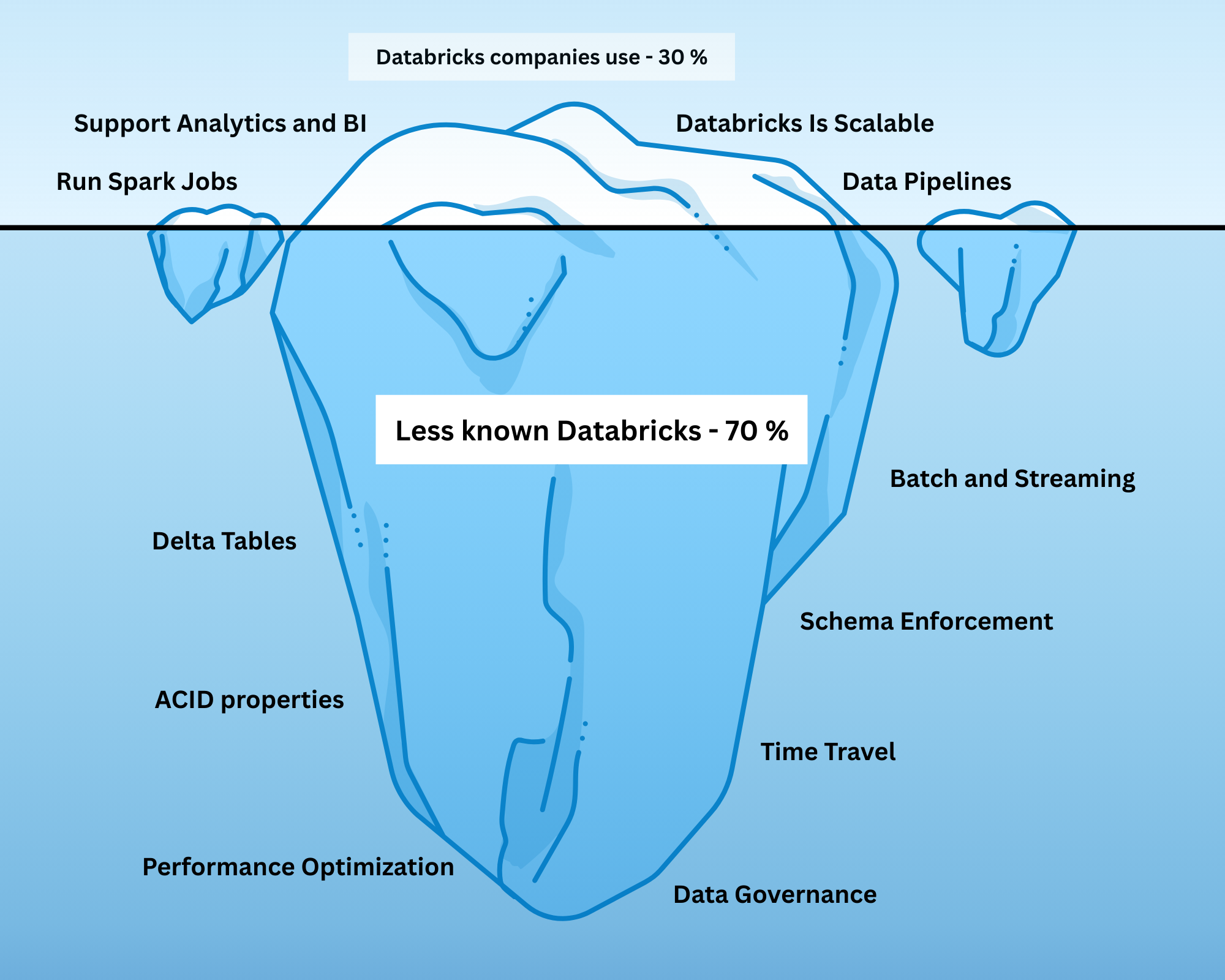
However, many teams only scratch the surface. They create Spark jobs, spin up Delta tables, and build pipelines - but the true power of Databricks lies in its Lakehouse architecture. Without fully understanding this, even sophisticated setups can result in inefficiencies, unreliable data, and frustrated data teams.
Did you know that Databricks allows you to:
- Travel back in time using historical table versions?
- Enforce schemas so your data behaves predictably?
- Perform updates, deletes, and incremental processing safely?
These are not optional add-ons - they are core features of the Lakehouse. The Lakehouse combines the strengths of data lakes and data warehouses into a single platform, enabling engineers to manage, govern, and analyze data efficiently.
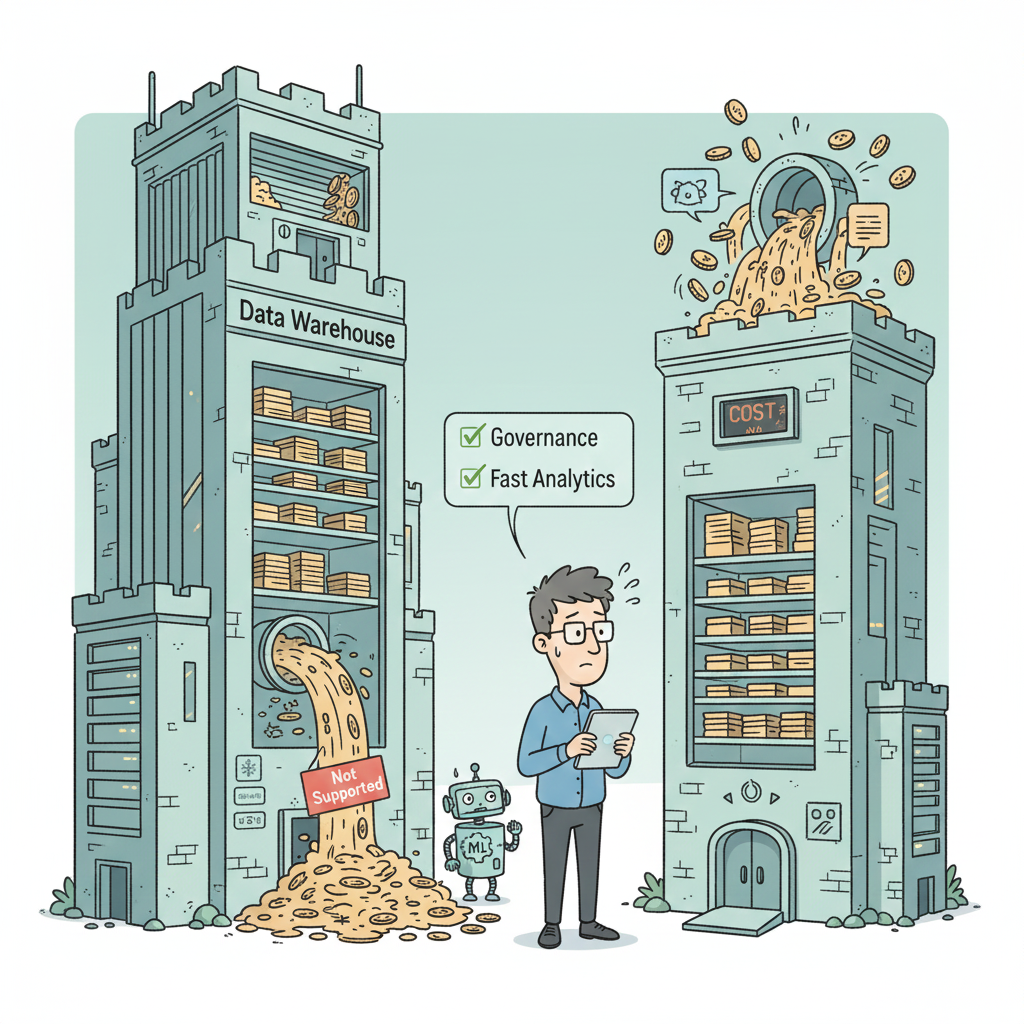
Before the Lakehouse, data engineers were stuck navigating two imperfect systems: traditional warehouses and data lakes.
Each came with unique advantages, but also major limitations.
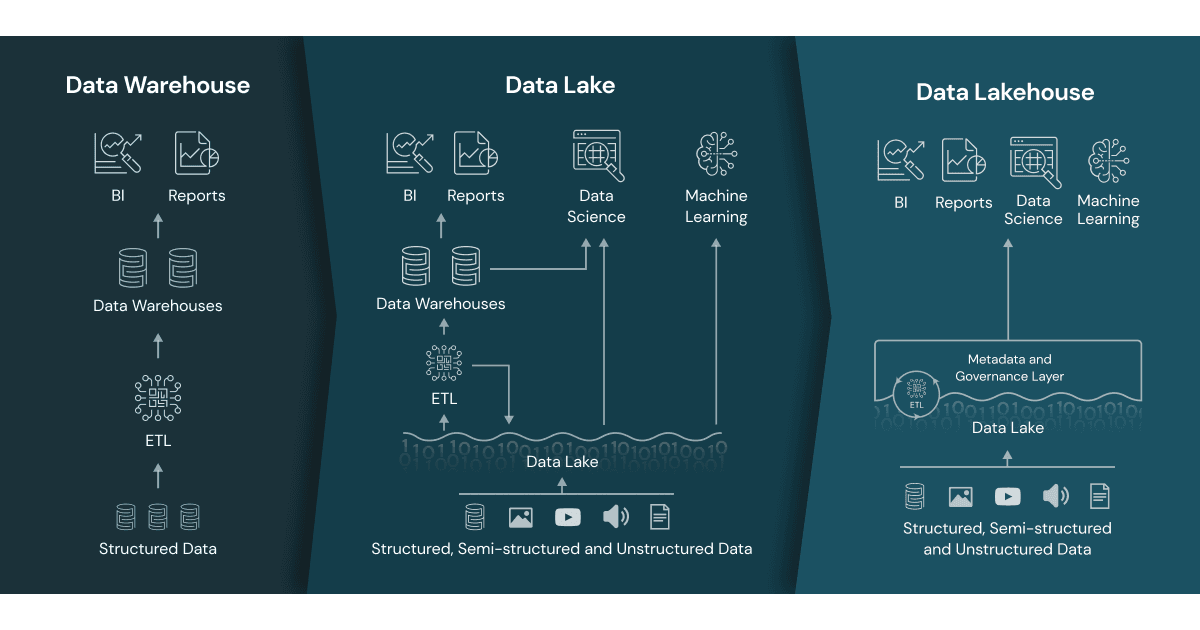
Data warehouses, such as Snowflake, BigQuery, and Redshift, are optimized for structured data, analytics, and reporting. They provide:
- Strong governance and consistency
- Optimized query performance for analytics
- Reliable and structured storage
However, warehouses struggle with:
- Semi-structured or unstructured data, such as logs or JSON files
- Streaming and near-real-time ingestion
- Cost and scalability for massive datasets
- Supporting machine learning workflows without duplicating data
These limitations made warehouses expensive and rigid, especially for modern, diverse data workloads.
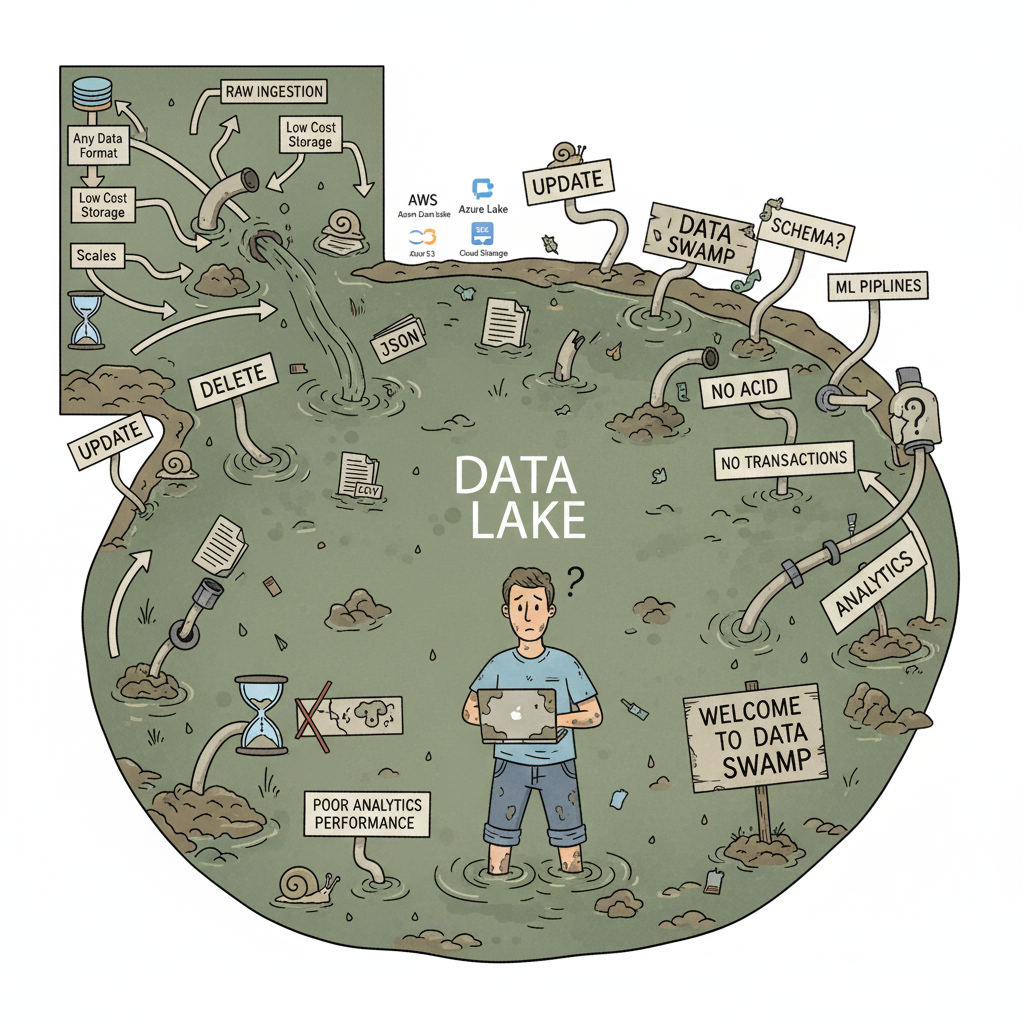
Data lakes, such as AWS S3, Azure Data Lake Storage, or Google Cloud Storage, were designed to store massive amounts of raw data at low cost. They allow organizations to:
- Ingest any data format: structured, semi-structured, or unstructured
- Scale storage cheaply to petabytes of data
- Support exploratory data analysis and advanced analytics
However, lakes have critical shortcomings:
- Lack of transactional guarantees—updates and deletes are risky
- Weak schema enforcement, which can lead to inconsistent or corrupt data
- Query performance often poor for analytics
- Without proper governance, lakes can quickly become “data swamps”
This often forced organizations to maintain multiple systems: OLTP databases for apps, lakes for raw storage, warehouses for analytics, and complex pipelines to connect them. The result: fragmentation, inefficiency, and higher operational risk.
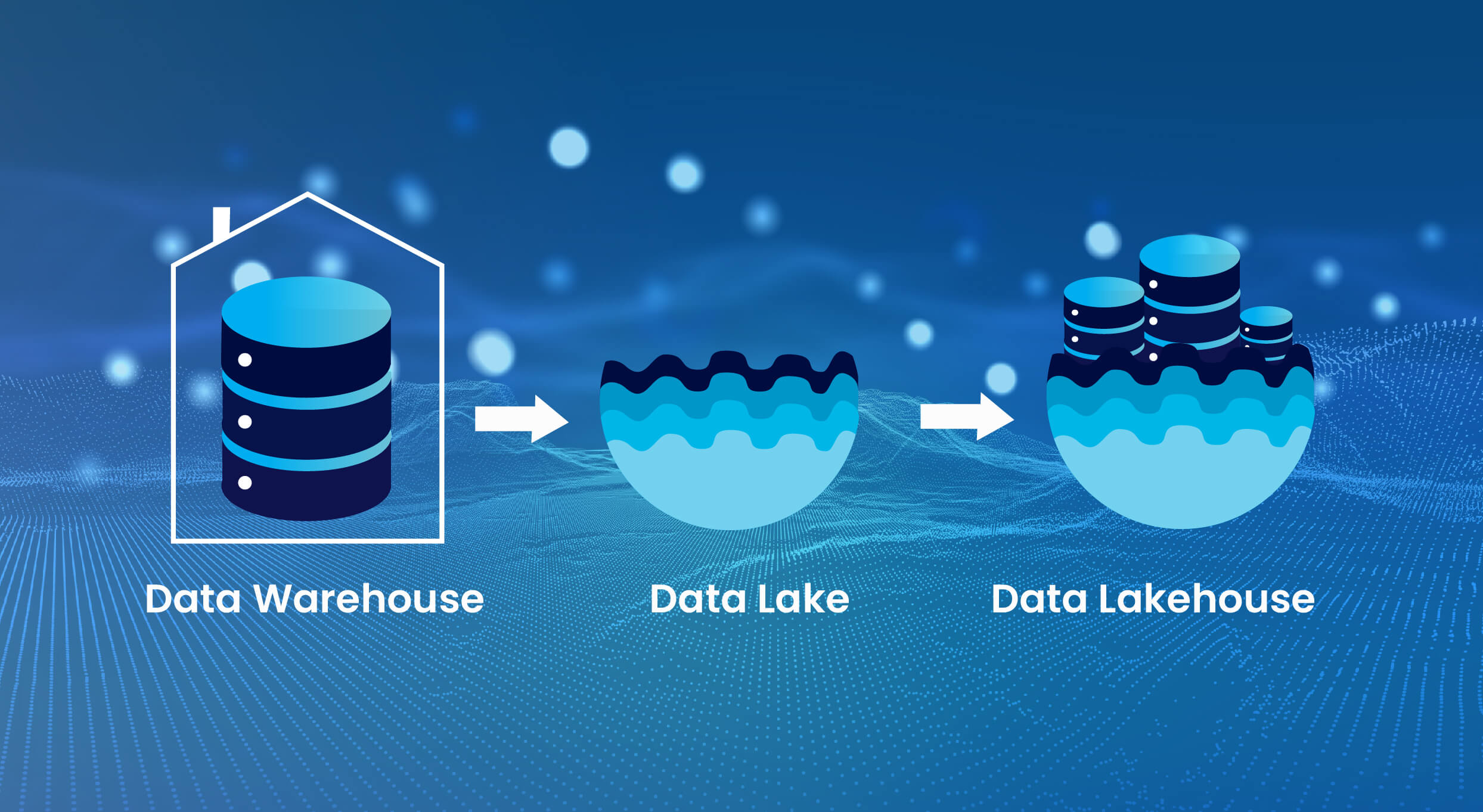
A Data Lakehouse is a storage-optimized layer built on top of cloud object storage. Unlike traditional warehouses and lakes (which are data stores), the Lakehouse is designed to store, process, and serve data reliably across all stages of the data lifecycle.
The Lakehouse combines:
- The flexibility of data lakes, allowing raw and semi-structured data ingestion
- The reliability and structure of data warehouses, supporting analytics and business reporting
This architecture enables organizations to reduce data duplication, simplify pipelines, and manage diverse workloads—**all in one platform**.
At the heart of the Lakehouse are Delta tables. They are what make the architecture transactional, reliable, and analytics-ready. Delta tables store data in two complementary formats:
1. Delta Format – Contains metadata, versioning, and transaction logs
2. Parquet Format – Columnar storage optimized for analytics and query performance
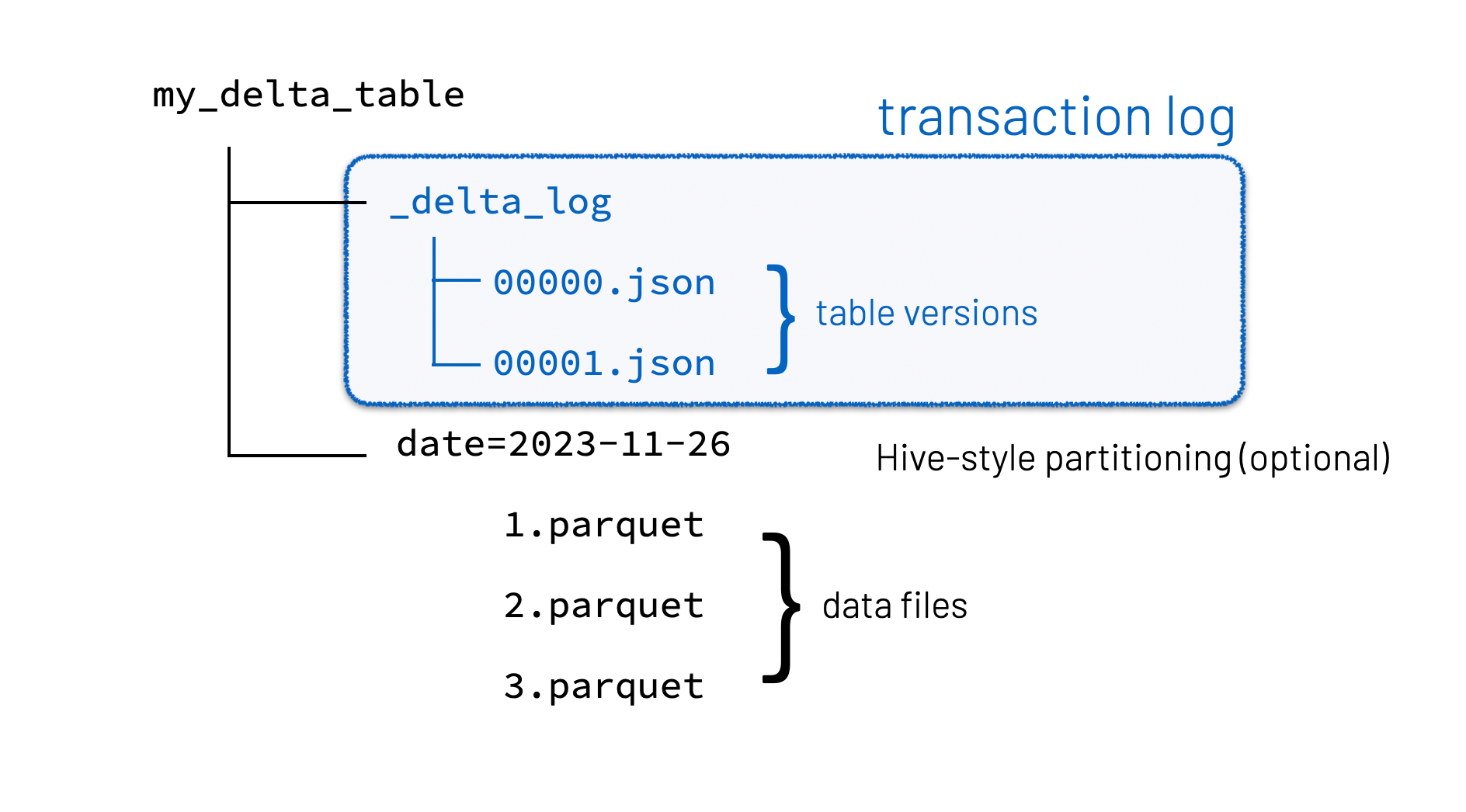
This dual-format design enables several critical capabilities:
- ACID Transactions: Ensure consistent reads and writes, allowing multiple users to interact with the same tables without conflicts. Updates, deletes, and inserts become reliable and traceable.
- Time Travel: Query historical versions of your data to reproduce reports, debug pipelines, or roll back errors.
- Schema Enforcement and Evolution: Prevent corrupt or incompatible data from entering your tables, while allowing safe evolution over time.
> Think of Delta tables as a well-trained data assistant: it stores everything efficiently, keeps your data consistent, and lets you reverse mistakes easily.
The Lakehouse is not just a storage solution—it’s a complete data management framework that empowers engineers to deliver reliable, scalable, and high-quality data. Here are the most important capabilities:
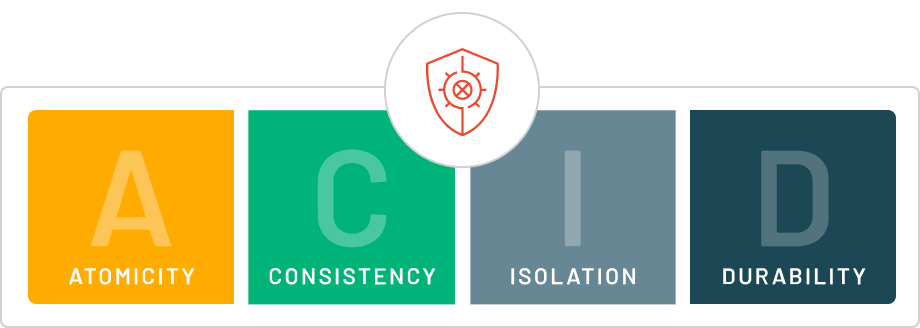
ACID transactions ensure that all changes to data are atomic, consistent, isolated, and durable. This allows multiple users or pipelines to interact with data safely and prevents partial updates or corrupt datasets.
Every change in a Delta table is logged as a version. This allows teams to:
- Access previous snapshots of data
- Debug pipelines efficiently
- Recreate past reports exactly as they were
Time travel reduces operational risk and improves trust in the data.
Data consistency is critical. Delta tables allow:
- Automatic schema enforcement to block invalid or unexpected data
- Controlled schema evolution to safely accommodate new fields
- Reduction in downstream errors or pipeline failures
The Lakehouse allows batch and streaming data to coexist in the same tables, ensuring:
- Consistent data across pipelines
- Simplified architecture without multiple systems
- Reliable real-time analytics
Delta tables combine transaction logs and Parquet storage, offering:
- Fast queries with columnar data format
- Reduced storage footprint through efficient file compaction
- Automatic handling of small files in streaming or batch ingestion
Delta tables are central to maximizing the value of the Lakehouse. Here’s how engineers can use them effectively:
Delta tables allow engineers to:
- Read raw data, apply transformations, and write directly into Delta tables
- Handle incremental data loads efficiently
- Ensure idempotent operations, preventing duplicates or errors
> Example: Using the MERGE INTO command, new sales transactions can be automatically merged into analytics tables, reducing manual coding.
Delta tables enforce schema rules:
- Invalid data is blocked automatically
- Safe schema evolution allows addition of new fields without breaking pipelines
> Example: Adding a customer_segment column in a sales table doesn’t break dashboards or downstream analytics.
Historical snapshots are automatically logged:
- Query older versions of data
- Recover deleted or corrupted records
- Reproduce previous reports exactly
> Example: Debug a reporting error by querying last week’s table version instead of reprocessing raw data.
ACID transactions allow:
- Multiple pipelines and users to interact with the same table simultaneously
- Real-time dashboards to run alongside batch processing
> Example: Marketing dashboards can update in real-time while finance reconciles transactions.
Delta tables optimize performance with:
- Columnar storage in Parquet
- File compaction for streaming or batch ingestion
- Partitioning for faster filtering
> Example: Streaming web logs append to Delta tables without generating millions of small files, keeping queries fast.
Delta tables enhance governance:
- Maintain historical versions for audits
- Track row-level changes for accountability
- Ensure downstream consumers access validated, clean data
> Example: GDPR compliance is easier when you can trace back to the exact version used for a report.
- Partition tables based on frequently filtered columns (e.g., date)
- Use Z-order clustering for multi-column queries
- Regularly vacuum old versions to manage storage costs
- Prefer MERGE INTO over manual joins for upserts
By following these best practices, Delta tables become a powerful tool for building scalable, reliable pipelines.
Even experienced Databricks users can make mistakes:
- Treating Delta tables like regular files without transactions
- Mixing raw and processed data in the same tables
- Building dashboards directly on uncurated raw data
- Ignoring time travel or rollback capabilities
- Skipping schema enforcement and pipeline design principles
Proper understanding and disciplined implementation ensures reliable and trustworthy pipelines.
For data engineers, the Lakehouse provides:
1. Simplified Architecture – Reduces fragmented systems and redundant pipelines
2. Enforced Data Quality – Ensures consistency, validation, and trustworthiness
3. Integrated Analytics and ML – Single platform for batch, streaming, and ML workloads
4. Operational Reliability – Prevents pipeline failures with ACID transactions and versioning
5. Improved Productivity – Engineers focus on value-added work rather than firefighting
> The Lakehouse shifts the engineer’s role from moving data to maturing data for reliability and scalability.
Consider a retail company ingesting millions of transactions daily. Without the Lakehouse:
- Raw data lands in a data lake, uncurated
- Analytics queries on raw data are inconsistent
- Multiple pipelines move data between lakes, warehouses, and reporting systems
With a Lakehouse on Databricks:
- Delta tables handle transactions reliably
- Historical snapshots enable audits and debugging
- Clean, trusted data is available for dashboards and ML models
- Single architecture supports batch and streaming workloads
Result: Faster insights, reduced operational overhead, and trustworthy pipelines.
Using Databricks without understanding the Lakehouse is like driving a Ferrari in first gear—you have the potential, but you’re underutilizing it.
By mastering:
- Delta tables and ACID transactions
- Time travel and versioning
- Schema enforcement and unified batch/streaming processing
- Data curation and quality principles
…data engineers can design scalable, reliable, and trusted pipelines, unlocking the full potential of Databricks.
> The Lakehouse is not just a feature—it is the foundation of modern data engineering, enabling smarter, faster, and more reliable data operations.
Ever wonder how Netflix instantly unlocks your account after payment, or how live sports scores update in real-time? It's all thanks to Change Data Capture (CDC). Instead of scanning entire databases repeatedly, CDC tracks exactly what changed. Learn how it works with real examples.
A real-world Terraform war story where a “simple” Azure SQL deployment spirals into seven hard-earned lessons, covering deprecated providers, breaking changes, hidden Azure policies, and why cloud tutorials age fast. A practical, honest read for anyone learning Infrastructure as Code the hard way.

From Excel to Interactive Dashboard: A hands-on journey building a dynamic pricing optimizer. I started with manual calculations in Excel to prove I understood the math, then automated the analysis with a Python pricing engine, and finally created an interactive Streamlit dashboard.
Data doesn’t wait - and neither should your insights. This blog breaks down streaming vs batch processing and shows, step by step, how to process real-time data using Azure Databricks.

A curious moment while shopping on Amazon turns into a deep dive into how Rufus, Amazon’s AI assistant, uses Generative AI, RAG, and semantic search to deliver real-time, accurate answers. This blog breaks down the architecture behind conversational commerce in a simple, story-driven way.

This blog talks about Databricks’ Unity Catalog upgrades -like Governed Tags, Automated Data Classification, and ABAC which make data governance smarter, faster, and more automated.

Tired of boring images? Meet the 'Jai & Veeru' of AI! See how combining Claude and Nano Banana Pro creates mind-blowing results for comics, diagrams, and more.
An honest, first-person account of learning dynamic pricing through hands-on Excel analysis. I tackled a real CPG problem : Should FreshJuice implement different prices for weekdays vs weekends across 30 retail stores?

What I thought would be a simple RBAC implementation turned into a comprehensive lesson in Kubernetes deployment. Part 1: Fixing three critical deployment errors. Part 2: Implementing namespace-scoped RBAC security. Real terminal outputs and lessons learned included
This blog walks you through how Databricks Connect completely transforms PySpark development workflow by letting us run Databricks-backed Spark code directly from your local IDE. From setup to debugging to best practices this Blog covers it all.

This blog unpacks how brands like Amazon and Domino’s decide who gets which coupon and why. Learn how simple RFM metrics turn raw purchase data into smart, personalised loyalty offers.
Learn how Snowflake's Query Acceleration Service provides temporary compute bursts for heavy queries without upsizing. Per-second billing, automatic scaling.

A simple ETL job broke into a 5-hour Kubernetes DNS nightmare. This blog walks through the symptoms, the chase, and the surprisingly simple fix.
A data engineer started a large cluster for a short task and couldn’t stop it due to limited permissions, leaving it idle and causing unnecessary cloud costs. This highlights the need for proper access control and auto-termination.

Say goodbye to deployment headaches. Learn how Databricks Asset Bundles keep your pipelines consistent, reproducible, and stress-free—with real-world examples and practical tips for data engineers.

Tracking sensitive data across Snowflake gets overwhelming fast. Learn how object tagging solved my data governance challenges with automated masking, instant PII discovery, and effortless scaling. From manual spreadsheets to systematic control. A practical guide for data professionals.

My first hand experience learning the essential concepts of Dynamic pricing
Running data quality checks on retail sales distribution data
This blog explores my experience with cleaning datasets during the process of performing EDA for analyzing whether geographical attributes impact sales of beverages

Snowflake recommends 100–250 MB files for optimal loading, but why? What happens when you load one large file versus splitting it into smaller chunks? I tested this with real data, and the results were surprising. Click to discover how this simple change can drastically improve loading performance.
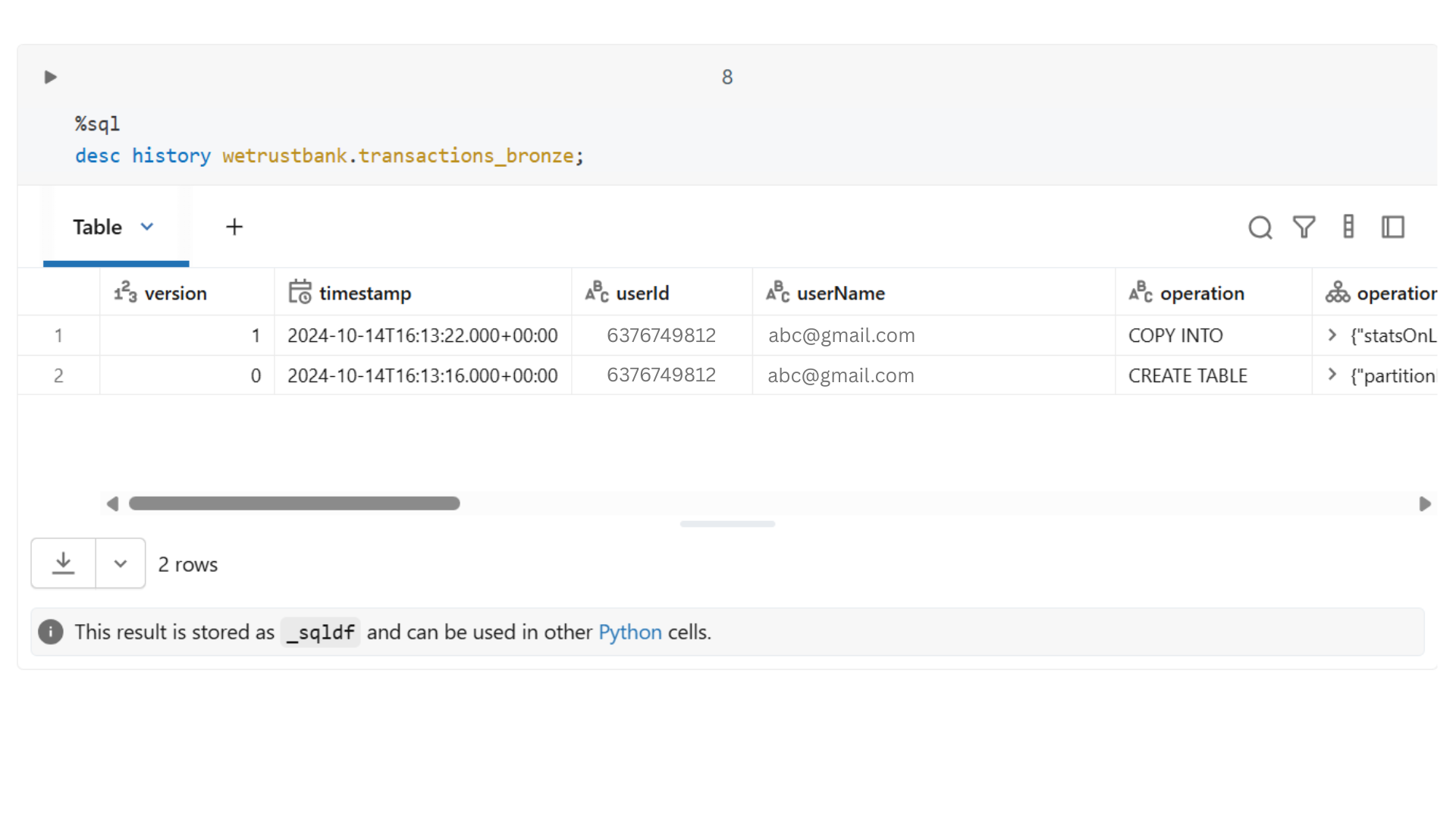
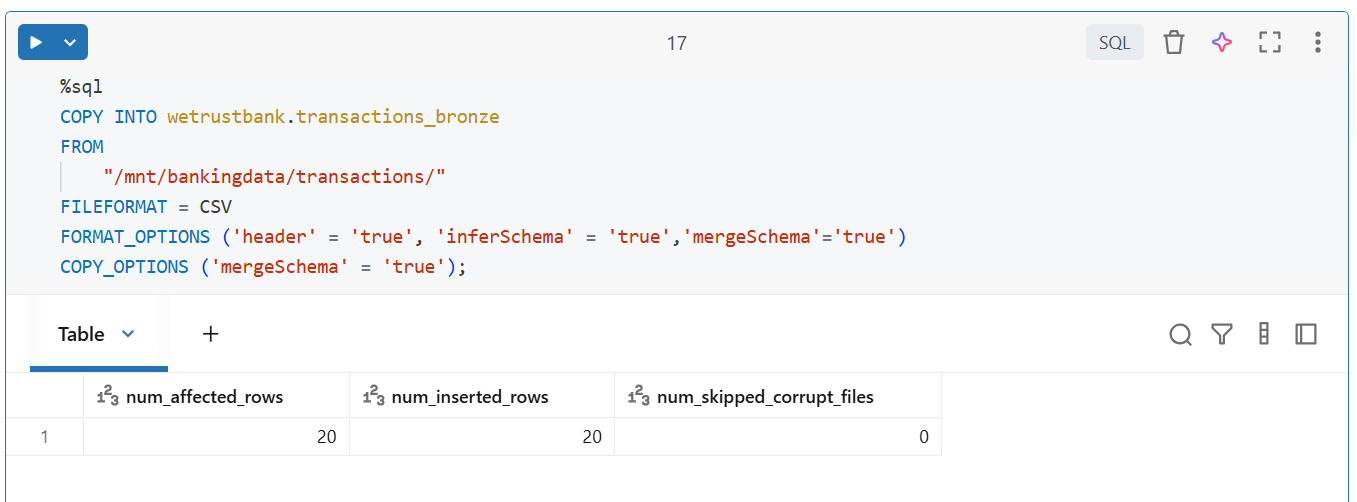
Master the bronze layer foundation of medallion architecture with COPY INTO - the command that handles incremental ingestion and schema evolution automatically. No more duplicate data, no more broken pipelines when new columns arrive. Your complete guide to production-ready raw data ingestion

Learn Git and GitHub step by step with this complete guide. From Git basics to branching, merging, push, pull, and resolving merge conflicts—this tutorial helps beginners and developers collaborate like pros.

Discover how data management, governance, and security work together—just like your favorite food delivery app. Learn why these three pillars turn raw data into trusted insights, ensuring trust, compliance, and business growth.
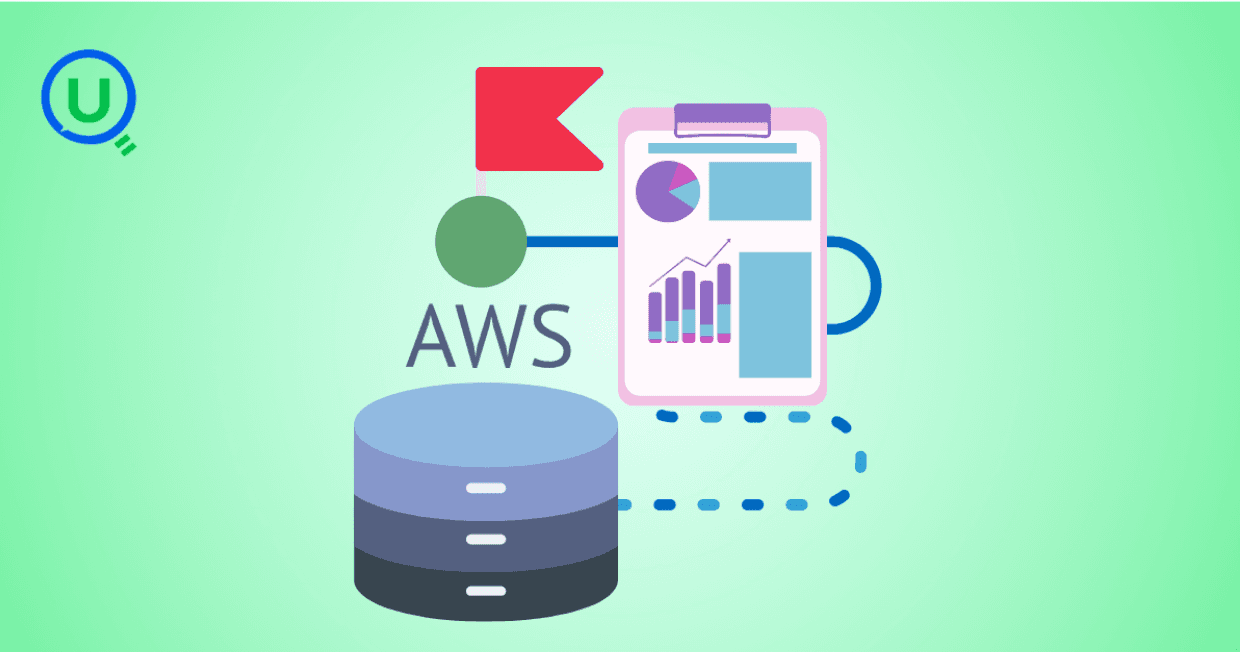
Beginner’s journey in AWS Data Engineering—building a retail data pipeline with S3, Glue, and Athena. Key lessons on permissions, data lakes, and data quality. A hands-on guide for tackling real-world retail datasets.

A simple request to automate Google feedback forms turned into a technical adventure. From API roadblocks to a smart Google Apps Script pivot, discover how we built a seamless system that cut form creation time from 20 minutes to just 2.

Step-by-step journey of setting up end-to-end AKS monitoring with dashboards, alerts, workbooks, and real-world validations on Azure Kubernetes Service.

My learning experience tracing how an app works when browser is refreshed
Demonstrates the power of AI assisted development to build an end-to-end application grounds up
A hands-on learning journey of building a login and sign-up system from scratch using React, Node.js, Express, and PostgreSQL. Covers real-world challenges, backend integration, password security, and key full-stack development lessons for beginners.

This is the first in a five-part series detailing my experience implementing advanced data engineering solutions with Databricks on Google Cloud Platform. The series covers schema evolution, incremental loading, and orchestration of a robust ELT pipeline.

Discover the 7 major stages of the data engineering lifecycle, from data collection to storage and analysis. Learn the key processes, tools, and best practices that ensure a seamless and efficient data flow, supporting scalable and reliable data systems.

This blog is troubleshooting adventure which navigates networking quirks, uncovers why cluster couldn’t reach PyPI, and find the real fix—without starting from scratch.
Explore query scanning can be optimized from 9.78 MB down to just 3.95 MB using table partitioning. And how to use partitioning, how to decide the right strategy, and the impact it can have on performance and costs.

Dive deeper into query design, optimization techniques, and practical takeaways for BigQuery users.

Wondering when to use a stored procedure vs. a function in SQL? This blog simplifies the differences and helps you choose the right tool for efficient database management and optimized queries.

Discover how BigQuery Omni and BigLake break down data silos, enabling seamless multi-cloud analytics and cost-efficient insights without data movement.

In this article we'll build a motivation towards learning computer vision by solving a real world problem by hand along with assistance with chatGPT

This blog explains how Apache Airflow orchestrates tasks like a conductor leading an orchestra, ensuring smooth and efficient workflow management. Using a fun Romeo and Juliet analogy, it shows how Airflow handles timing, dependencies, and errors.

The blog underscores how snapshots and Point-in-Time Restore (PITR) are essential for data protection, offering a universal, cost-effective solution with applications in disaster recovery, testing, and compliance.
The blog contains the journey of ChatGPT, and what are the limitations of ChatGPT, due to which Langchain came into the picture to overcome the limitations and help us to create applications that can solve our real-time queries
This blog simplifies the complex world of data management by exploring two pivotal concepts: Data Lakes and Data Warehouses.

demystifying the concepts of IaaS, PaaS, and SaaS with Microsoft Azure examples

Discover how Azure Data Factory serves as the ultimate tool for data professionals, simplifying and automating data processes

Revolutionizing e-commerce with Azure Cosmos DB, enhancing data management, personalizing recommendations, real-time responsiveness, and gaining valuable insights.
Highlights the benefits and applications of various NoSQL database types, illustrating how they have revolutionized data management for modern businesses.

This blog delves into the capabilities of Calendar Events Automation using App Script.
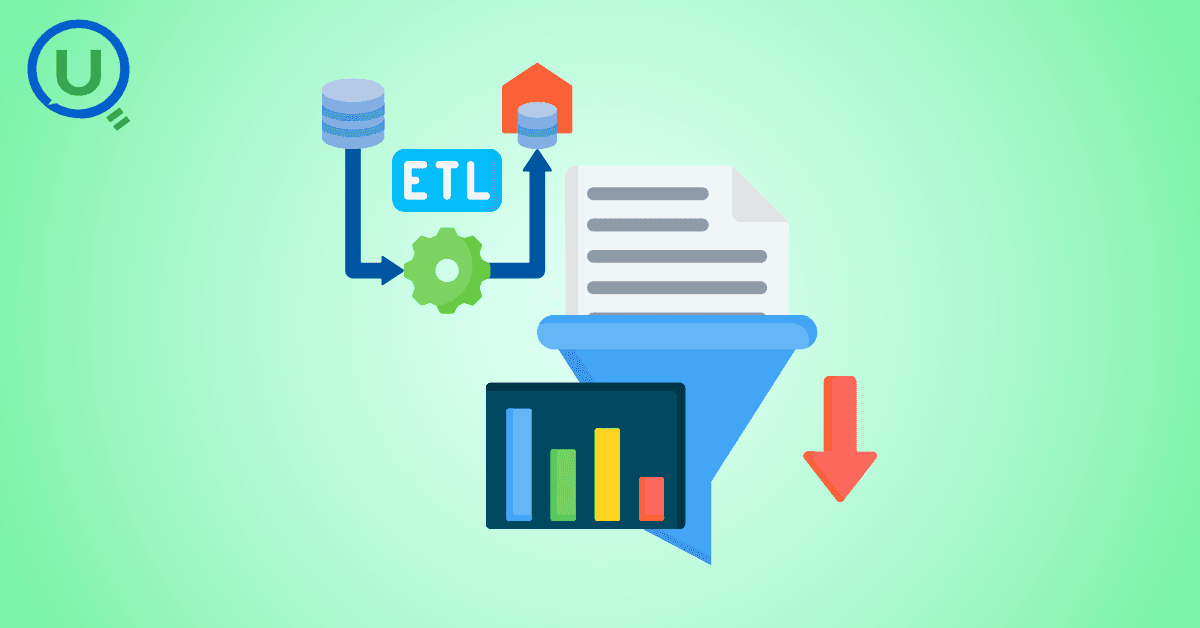
Dive into the fundamental concepts and phases of ETL, learning how to extract valuable data, transform it into actionable insights, and load it seamlessly into your systems.

An easy to follow guide prepared based on our experience with upskilling thousands of learners in Data Literacy
Teaching a Robot to Recognize Pastries with Neural Networks and artificial intelligence (AI)

Streamlining Storage Management for E-commerce Business by exploring Flat vs. Hierarchical Systems

Figuring out how Cloud help reduce the Total Cost of Ownership of the IT infrastructure

Understand the circumstances which force organizations to start thinking about migration their business to cloud